|
<< Click to display Table of content >> Store print template |
  
|
|
<< Click to display Table of content >> Store print template |
|
When the modifications have been made to a template, it has to be stored to be used later. To do this:
•Select the item Map frame.
•Go in the menu File and click on Layout/Store print template.
•Enter a name for the Folder and the template.
•Click on OK.
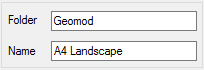
Store a template