|
<< Click to display Table of content >> Application parameters |
  
|
|
<< Click to display Table of content >> Application parameters |
|
These parameters are used in an integrated manner throughout the software.
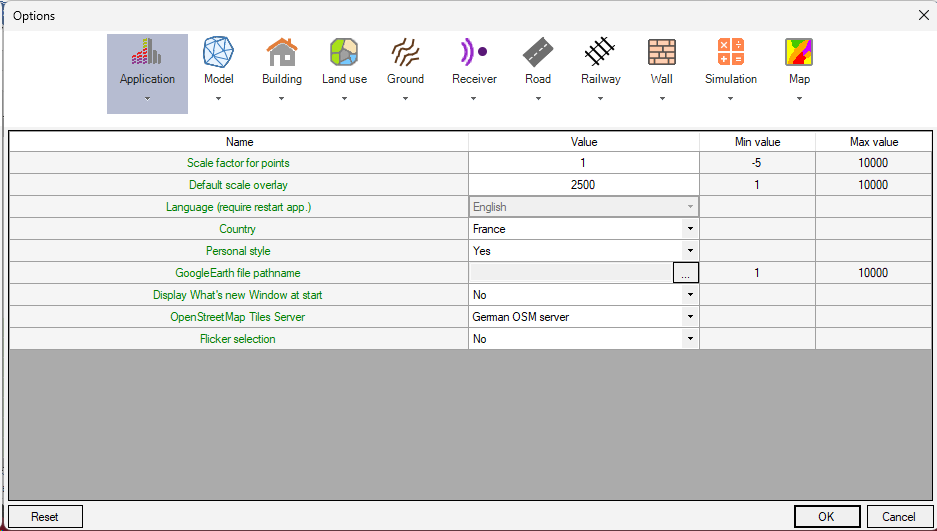
Application settings
•Scale factor for points: the higher the factor, the higher the symbols will be, in general (receivers, etc). The negative value produces a fixed symbol size whatever the viewing scale.
•Default scale overlay: default scale of on creation of data layers. Essentially, this influences layers with data points (receivers).
•Language: the application language.
•Country: the application country. This parameters is used to initialize default values of MithraSIG. Each country present has its owns default values.
•Use personal style: indicates if the object colors (buildings, receivers, roads, railways...) defined in the Object colors interface are used.