|
<< Click to display Table of content >> Add a base station |
  
|
|
<< Click to display Table of content >> Add a base station |
|
To add a base station, from the ribbon Model, click on the button  in the group List of emissions. It is possible to add a base station from the List of base stations or from an antenna.
A base station is defined by a name (used as an ID), its address, an operator name, etc.
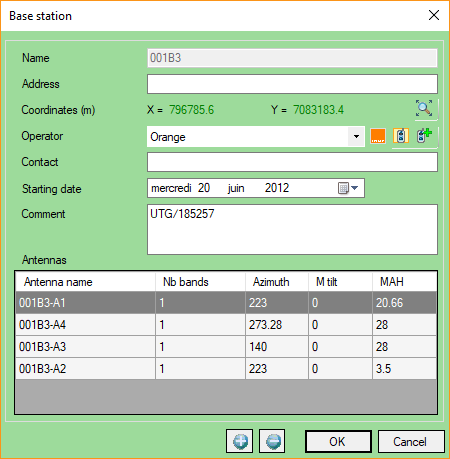
•Name: a unique name.
•Address: an optional address to situate the base station.
•Operator: the operator linked to the base station.
•Contact: an optional contact for the base station.
•Starting date: an optional starting date.
•Comment: an optional comment.
•Antennas: list of the antenna(s) linked to the base station.
The button  allows to change the operator icon.
The button  allows to add a new operator in the database.